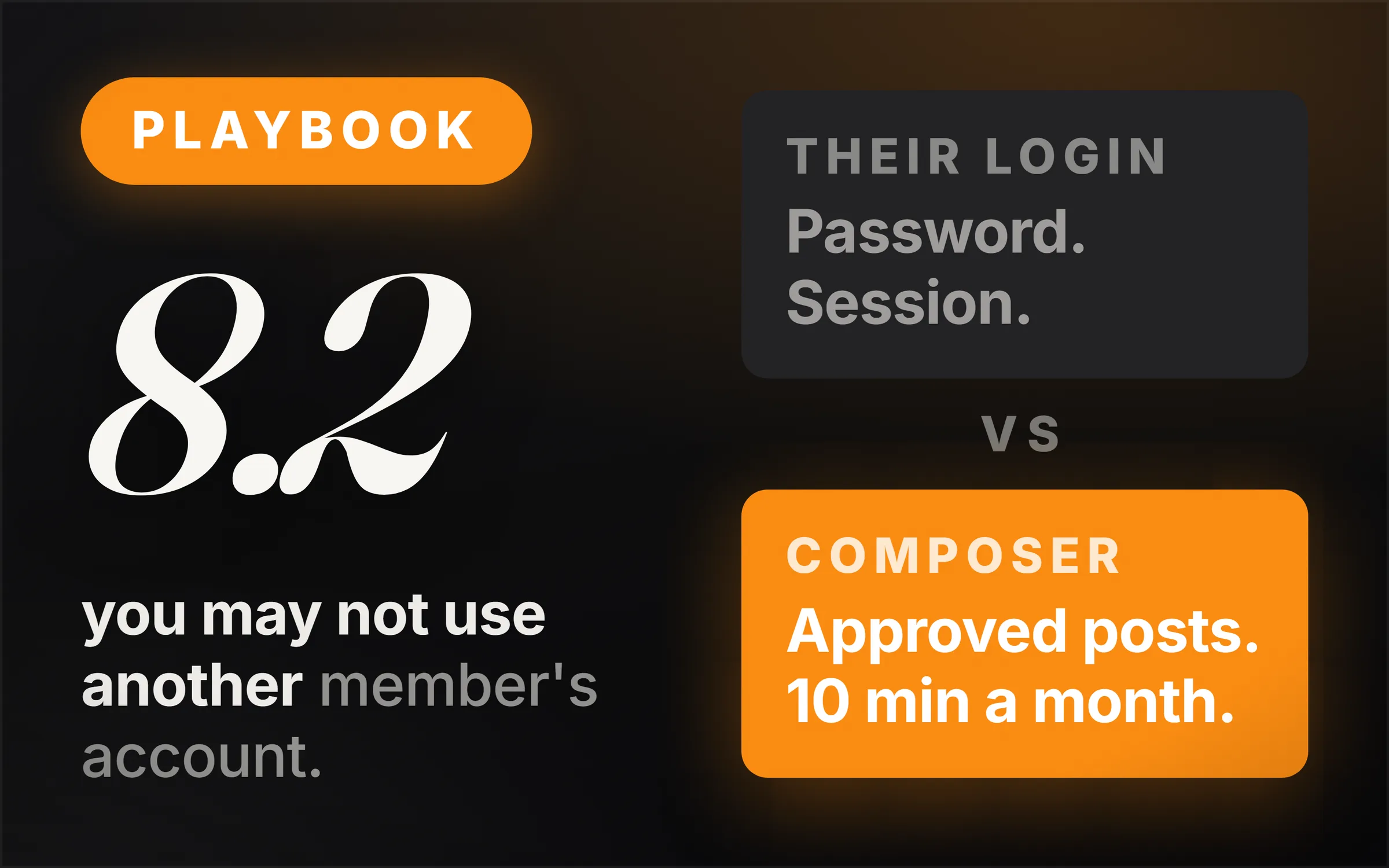
No, a ghostwriter cannot log into a client's LinkedIn account, and the rule is not a matter of taste. Clause 8.2 of LinkedIn's User Agreement, effective 3 November 2025, lists among its Don'ts that a member may not "use or attempt to use another's account (such as sharing log-in credentials or copying cookies)."
That matters more than it sounds, because the person who carries the consequence is not the writer. It is the client, whose account gets restricted, on the platform their professional reputation lives on, because of something their writer told them to do.
Almost every guide to this business steps straight over that clause. It tells you to ask for the password, or to run the client's posting through a tool that signs in and clicks on their behalf. Both break the agreement the client signed when they opened the account. What follows is the service built the other way round: what the clauses actually say, how the work gets delivered without a login, how you capture somebody's voice once instead of booking a call every month, and what the work sells for.
The film is the whole thing done on camera, 67 minutes, fourteen parts with a milestone check at the end of every one: a real feed scored live, the clauses read on the page, a voice intake run end to end, three posts built out of the transcript, the price set, the outreach sent, the conversation that closes, the agreement signed, the month delivered and the report written. Every document used in it is free at ideasrepay.com/academy/linkedin-ghostwriting, with no email required. This article stands on its own.
Can a ghostwriter post on someone else's LinkedIn account?
No. Clause 8.2 of LinkedIn's User Agreement lists among its Don'ts that a member may not "use or attempt to use another's account (such as sharing log-in credentials or copying cookies)." Clause 2.2 separately says a member will "not share or transfer your account or any part of it." Both are live in the agreement effective 3 November 2025.
The practical reading is simple. The account belongs to the person whose name is on it, and it never leaves their hands. That rules out three things people will tell you to do.
A password, however it is dressed up. A shared password manager is sharing log-in credentials. A single one-off login is sharing log-in credentials. Just for the first month is sharing log-in credentials. The clause does not have a size exemption.
Any tool that signs in as them. If the way a tool posts is by driving a browser session on the client's account, that is the practice LinkedIn named on 12 March 2026 when it said it takes "action to stop behaviors that promote inauthentic engagement, including comment automation, engagement pods, and unauthorized third-party tools."
Automated commenting and engagement pods, which get sold as a growth add-on alongside the writing. Clause 8.2 covers those too: no "bots or other unauthorized automated methods" to "create, comment on, like, share, or re-share posts, or otherwise drive inauthentic engagement."
What does LinkedIn's User Agreement say about creating a profile for a client?
Clause 8.2 forbids it, in the same Don'ts list, which says a member may not "create a false identity on LinkedIn, misrepresent your identity, create a Member profile for anyone other than yourself (a real person)." That location is worth pinning down, because a lot of write-ups attribute the rule to clause 2.1, the eligibility clause, and it is not there.
Clause 2.1 is the neighbouring rule and it says something related but different: "you will only have one LinkedIn account, which must be in your real name." One account, real name. The prohibition on building a profile for somebody else is a separate line in the Don'ts.
The distinction matters the first time a client says their assistant set up their profile, or asks you to build one for a colleague. You want to point at the right clause, because a writer who cites the wrong one has just shown the client that they read a blog rather than the agreement.
How do you deliver LinkedIn posts without the client's login?
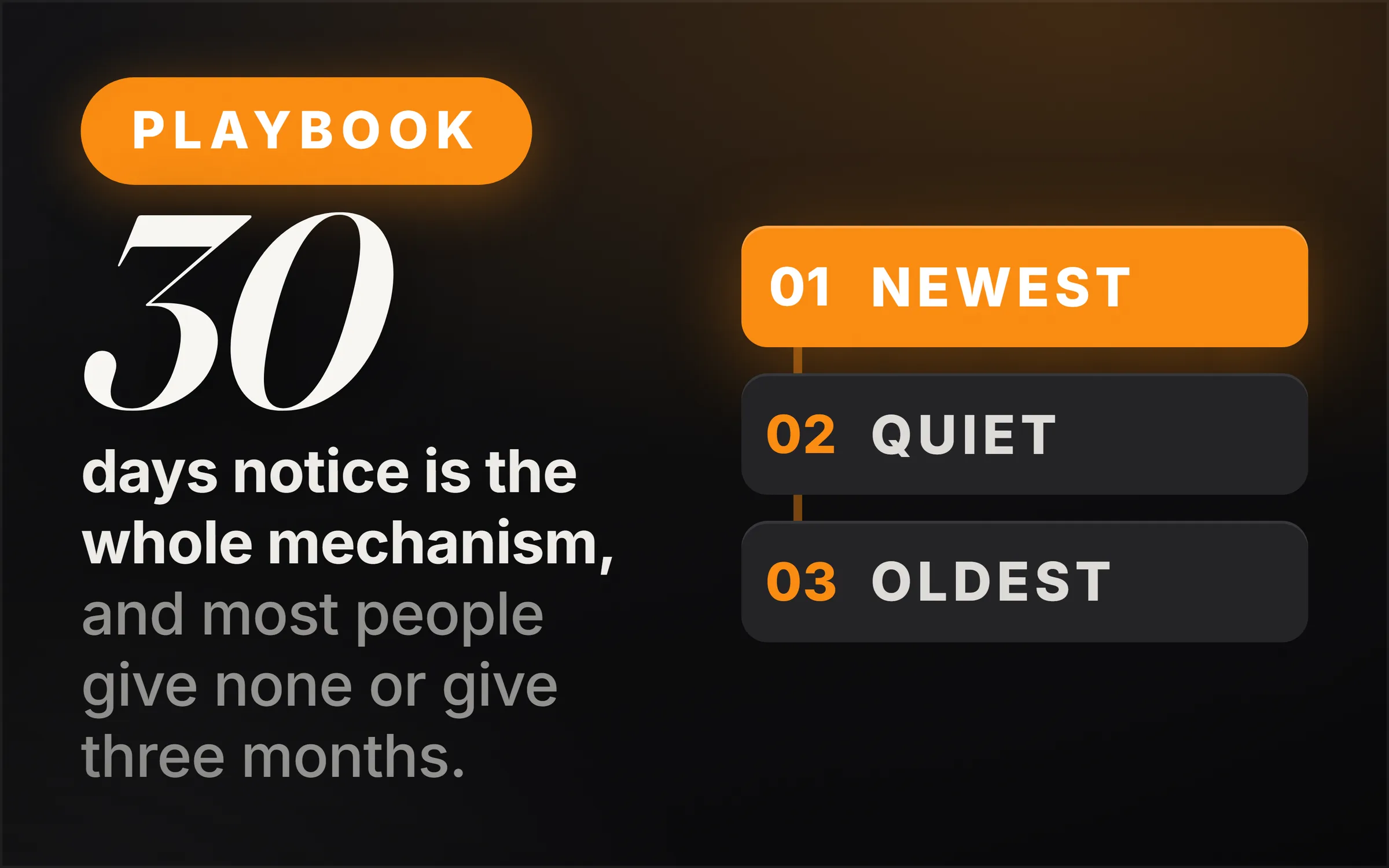
Two ways, and the first costs $0. LinkedIn has a scheduler built into its own post composer, behind the clock icon in the corner of the box you type into. It accepts anything from 10 minutes to 3 months ahead and works for text, images, video and documents. Scheduling 8 posts takes the client about 10 minutes, once a month, on their own account.
So the delivery model is a handover rather than an access grant. You send finished, approved posts in one document. They paste each one into their composer, click the clock, set the date and time, and schedule it. Nothing but the words passes between you.
The second route is for the client who would rather not do even that, and it is written down in LinkedIn's own developer documentation rather than being a matter of opinion. There is a permission called w_member_social, described in the Posts API permissions table as "Post, comment, and like posts on behalf of an authenticated member." The client grants a tool that permission once, on their own account, through a normal sign-in screen. No password comes to you at any point.
That is the whole line, and it is a clean one. A tool the client authorises is inside the rules. A tool that logs in as them is not. Anybody offering a third route is offering to put the client's account at risk to save them ten minutes a month.
Why did LinkedIn change what the feed rewards in 2026?
On 12 March 2026 LinkedIn published a post on its own newsroom describing four changes, and four sentences in it decide how this work is done. The first: "We're upgrading how the Feed ranks content using larger sequence models, known as Generative Recommenders, augmented with large language models (LLMs)." In plain terms, the system deciding what gets seen now reads posts for meaning rather than counting the signals around them.
The second names the behaviours being acted on, quoted above: comment automation, engagement pods, and unauthorized third-party tools. The third says LinkedIn is "improving our systems to reduce repetitive, low-substance posts and engagement bait, such as 'comment to agree' prompts or videos that don't match the text."
The fourth is what is rewarded instead: "You'll see more posts that offer genuine insight, actionable ideas, and thoughtful perspectives and fewer that are designed purely to game distribution."
There are no figures in that announcement, and it is worth saying so plainly rather than inventing a percentage to go with it. What it gives you is a direction. The supply of writing that says nothing has gone up enormously, what it is worth has gone down just as fast, and the platform has said in its own words which way it is pushing.
How do you tell a good LinkedIn post from a generated one?
Score it out of 4, one point per mark, reading the words on the screen rather than deciding how the post feels. In a category we scored, most of the first 10 posts came in at 0 or 1 mark and only 2 scored 3 or more. That distance, measured by hand in about 10 minutes, is worth more to you than any published study, because you produced it.
Mark one: a number that came out of their own work. Not a public statistic anybody could look up. A figure from something they did.
Mark two: a specific occasion. A named month, a particular client, a meeting that happened.
Mark three: a decision somebody actually made. We stopped doing this. I turned that down. We changed it in June.
Mark four: something a reasonable person in the same trade could disagree with. If everybody already agrees, nothing was risked and nothing was said.
Nothing scoring zero or one needed the person who posted it, because anybody in that category could have written it on any day. Two and above, and something real is in there. None of the four can be generated, because every one of them is a fact about something that happened to a particular person.
There is a study people will quote at you here, and it needs handling carefully. In July 2026 Originality.AI analysed 5,000 public LinkedIn posts of at least 100 words across nine topics and classified 81.2% of them as likely AI, up from roughly half on a smaller sample the year before. The company that published it sells AI detection software, and a detector does not produce proof, it produces a probability. Take it as the shape of a trend and set it next to the two numbers you counted yourself.
Meanwhile LinkedIn has begun rolling out a native option to flag posts that look machine-made. Which means a post scoring zero is no longer merely weak. It is a post the reader now has a button for.
How do you capture a client's voice without a monthly call?
You capture it once, in about 45 minutes, and write it into a document the client corrects. Six questions, with the same six-word follow-up on every answer: can you give me an example. The first answer is nearly always a summary. The example underneath it is nearly always the post.
Most versions of this business put a 45-minute call in every single month. That sells the client the exact thing they have already told you they do not have, and it means the month they go quiet is a month you cannot deliver. The whole reason somebody hires a ghostwriter is that they have no time, so a service demanding time every month is selling them their problem back.
What the intake produces is a voice brief in six sections: what they do in their own words, who they are trying to reach, what they want the posting to achieve, the positions they hold, how they sound with examples from their own sentences, and a topic bank holding every usable moment from the transcript as the exact sentence they said it in.
Send it and ask them to correct it rather than approve it. Asking somebody to approve a document about themselves gets you a yes. Asking them to correct it gets you the two sentences you had slightly wrong, and those are worth more than the rest of the reply. After that the month runs on a three-question email that takes them four minutes, and if they never answer it the month still happens, because the topic bank is already there.
How much do LinkedIn ghostwriters charge?
Published rates in 2026 run roughly $50 to $100 a post at the budget end, $150 to $250 in the middle and $300 to $500 at the top, with retainers from $1,200 to $2,000 for starter packages, $1,500 to $3,500 in the middle, and agencies quoting $5,000 and up. Every one of those numbers needs a warning label.
They are asking prices. Each was published by somebody selling the service, on a page built to make their own price look normal. There is no survey behind any of them and no independent data set, so they tell you what people hope to charge rather than what gets paid. A clean market average would read better in an article and it would be worse information. If you want figures with real transactions behind them, open a freelance marketplace and look at what is actually being booked on the day you set your prices.
Raise it on new clients first and existing ones much later, when you have three months of reports you would happily show a stranger and you have turned somebody down, and the reason you give is what the reports and the mentions say rather than your costs. The mechanics of that conversation are in how to raise your rates.
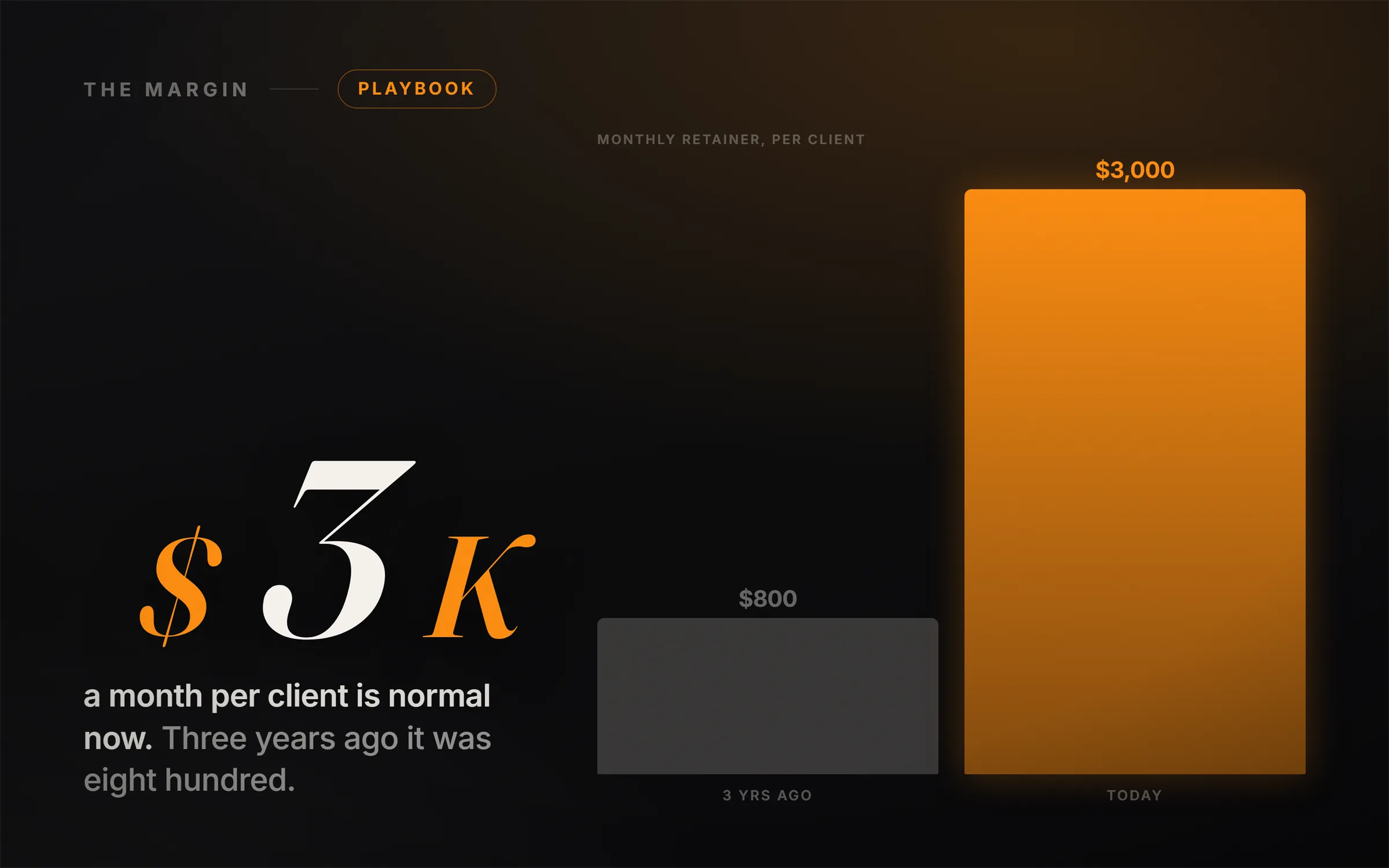
Our own floor is $800 a month for a retainer and $500 for a single first month, and it is a floor rather than a recommendation. Below it one of two things is true: either a full day of work is returning less than your hours are worth, in which case you stop within two months, or you are not spending a full day, which means you are shipping the posts that score one mark. Clients who come in under that floor also tend to be the ones who ask for eleven revisions in month one and leave in month two.
How do you report results when you cannot pull the client's analytics?
The client exports the numbers and sends them, because you are not permitted to pull them. LinkedIn's developer documentation marks r_member_social, the permission to "retrieve posts, comments, and likes on behalf of an authenticated member," as restricted and available to approved users only. Ask for that export once, in week 1, and read 3 numbers out of it every month.
Three numbers in that export mean something. Members reached, the count of distinct people who saw it, which tells you whether the platform pushed the post beyond the people already following them. Profile views in the days after a post, which is the intent number: somebody read something and went to find out who wrote it. And who commented rather than how many, because ten comments from other people in your own trade is a pleasant afternoon and two from the kind of buyer your client actually sells to is the month working.
Two numbers will be larger than all of those and neither should lead the report. Impressions counts views rather than people, so one person scrolling past the same post three times is three impressions, and it is always the biggest figure on the page, which is exactly why it ends up at the top of most reports. Reactions is the cheapest action on the platform and the easiest to inflate with precisely the kind of post LinkedIn said in March it is reducing.
And the number that decides whether they renew is not in the export at all, because the platform cannot see it. Ask one question with every report: has anybody mentioned a post to you. A client saying somebody brought one up on a call is worth more than every figure on the page, and those answers accumulate into the only proof of business outcome you will ever get.
What is in the free kit?
16 working files, free, no email required, at ideasrepay.com/academy/linkedin-ghostwriting. Every one is used on camera in the film, in the order the fourteen parts hand them over, and they are .docx and .xlsx rather than PDF because these are documents you fill in.
The feed audit sheet, with the four-marks grid and both column totals adding themselves up. The compliance one-pager, holding the clauses above and the words to say when a client offers you their login. The prospect sheet. The voice capture question set, and the client questionnaire for the client who will not sit on a call. A worked transcript, marked and scored, and a second practice intake with an answer key for readers who have nobody to interview yet. The voice brief template with its topic bank. The post shape library, three shapes written out from the same transcript. The prompt pack. A price card, the outreach and objection pack, the discovery call script, a plain-English service agreement with both clauses in it, the client onboarding kit, and the monthly report template.
The clause has been sitting in the User Agreement the whole time, and most of this trade has built its delivery model on the assumption that nobody reads it. That is the opening. A writer who can say, out loud and without looking it up, why they will never hold a client's password, and then show the free scheduler that makes the question moot, is a different proposition from the one that arrives asking for a login in week one. Open the agreement, read clause 8.2 yourself, then go and score ten posts in one category. Both take about ten minutes and between them they are the whole argument.
If you want the case for the business itself before the method, the model and the money are in LinkedIn ghostwriting: how to start with no audience.